Know your unit's real activity every week, without chasing spreadsheets.
Your advisors log approaches, appointments, presentations and closes in one tap on their phone. You see pledge vs actual, who has gone quiet, and whether the month is on pace, in one screen.
Start a free 30-day pilot See inside the app
Unit Pulse is currently in pilot. No credit card needed to try it. Works with any insurance company.
See inside Unit Pulse
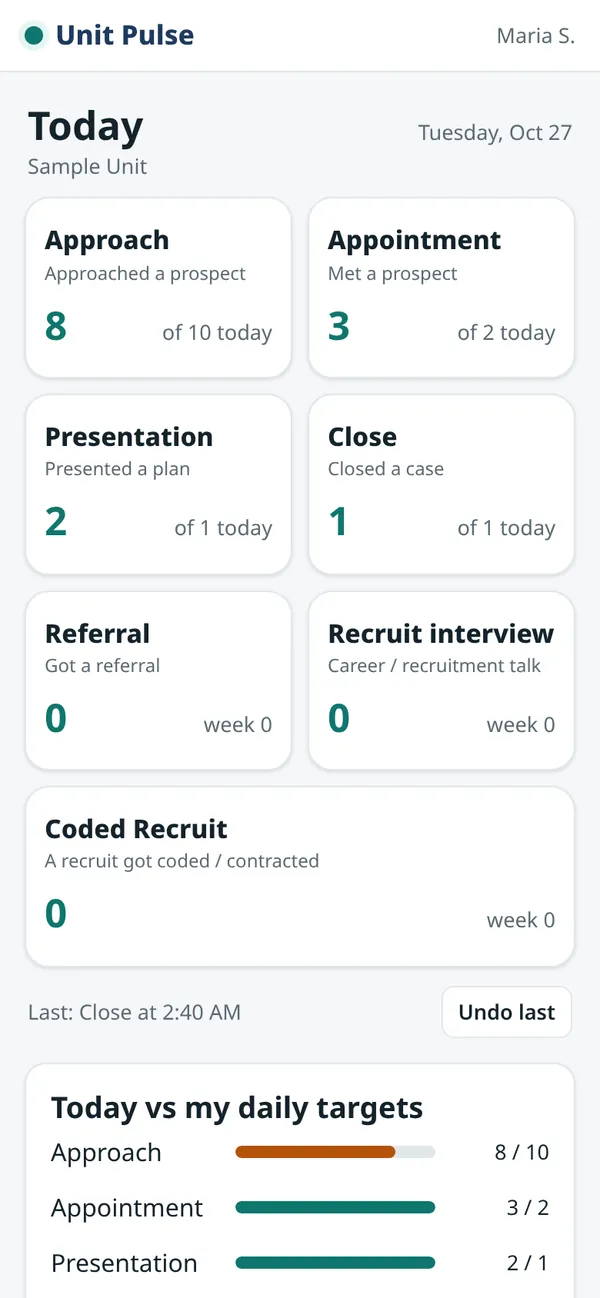
These are real screens from the app, filled with made-up sample names and numbers.
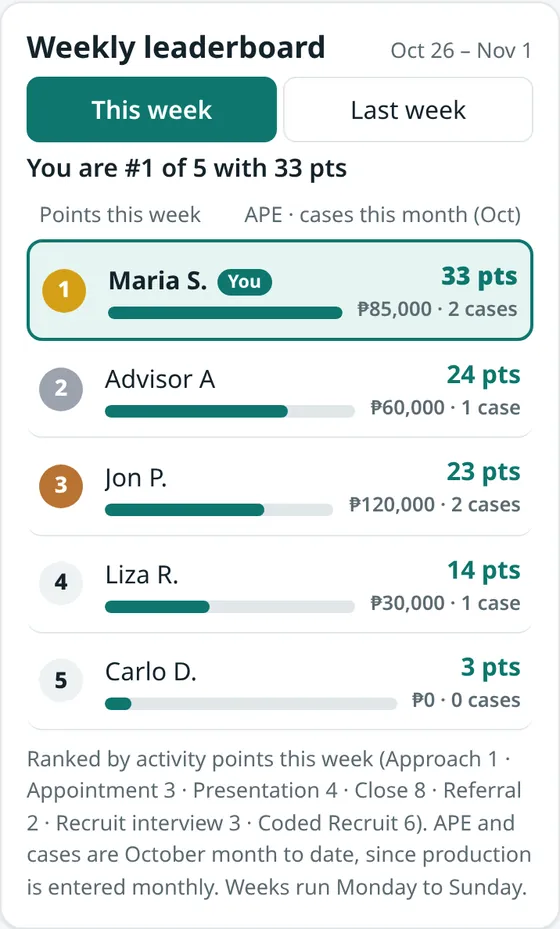
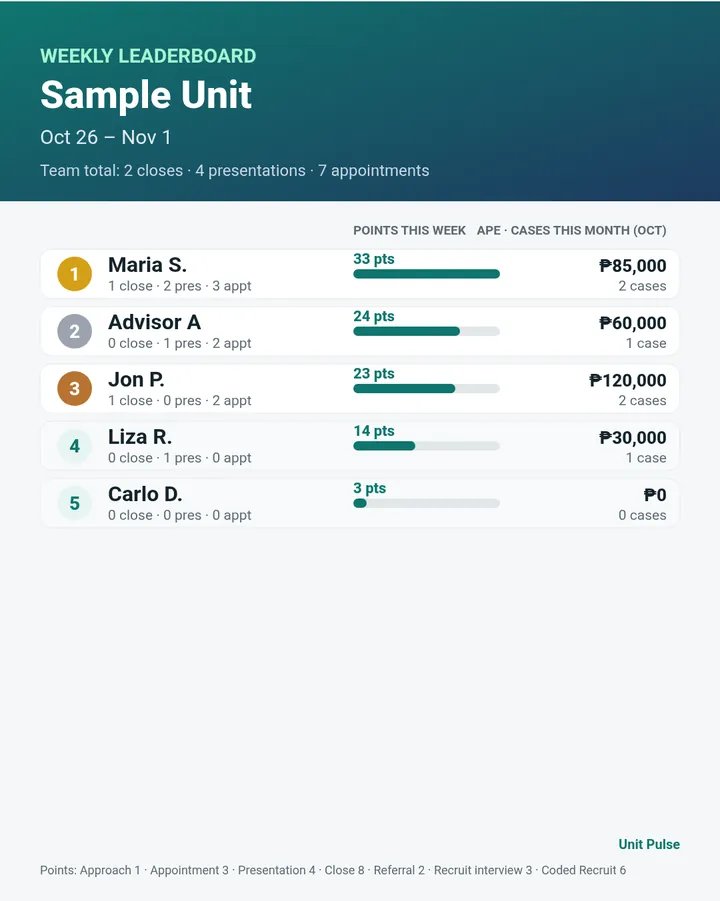
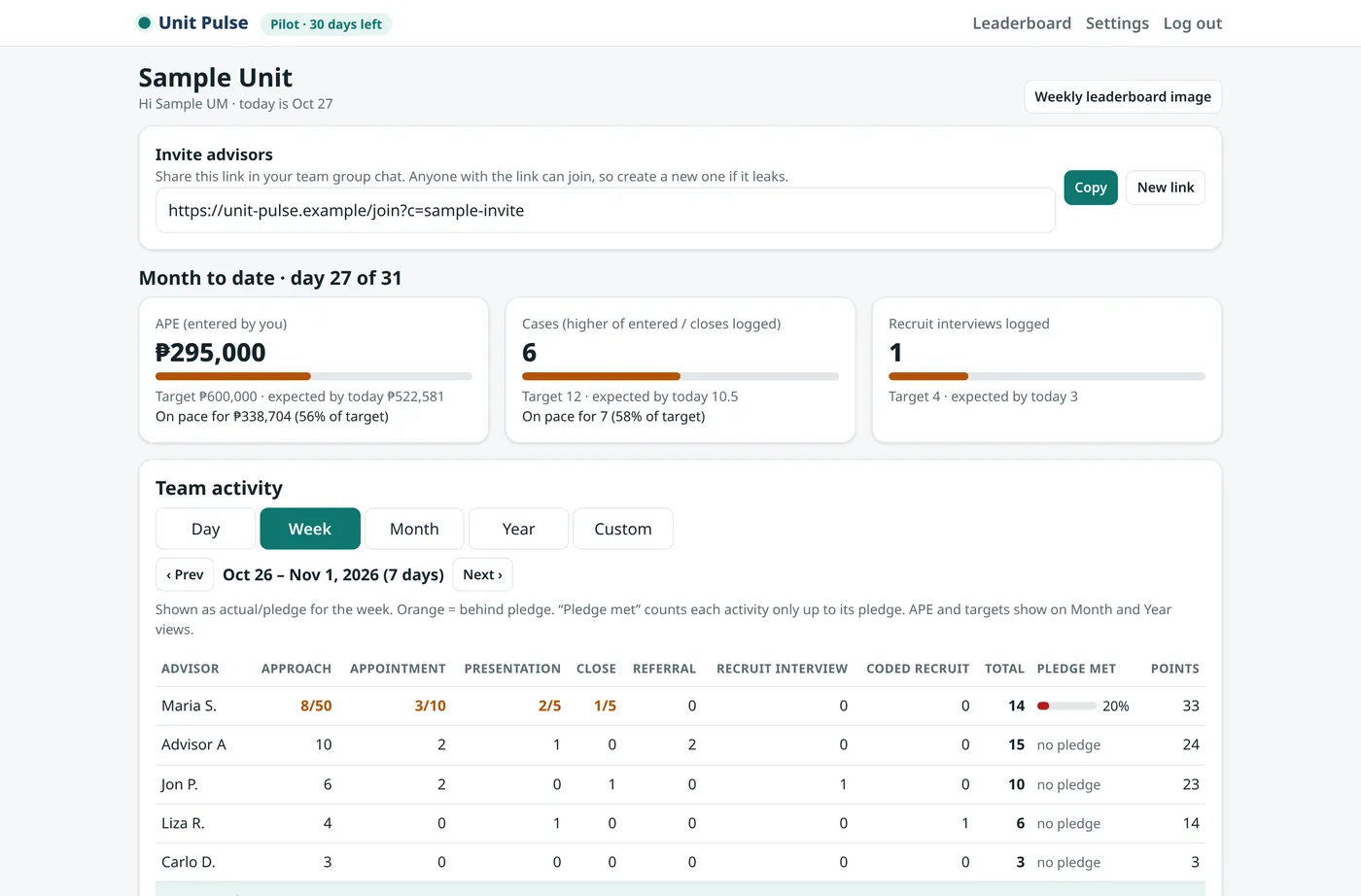
Sample data: made-up names and numbers, shown only to illustrate the app.
One-tap logging for advisors
Big buttons for Approach, Appointment, Presentation, Close, Referral, Recruit interview and Coded Recruit. Advisors can type daily targets and fix a day’s numbers. Undo if they tap by mistake. No app to install. It opens in the phone browser.
Pledge vs actual
Each advisor sets a weekly pledge on Monday. You see who is on track, per activity, without asking in the group chat.
"Gone quiet" list
See advisors with no activity for 7, 14 or 21 days, so you can check in before they drop off.
Month-to-date pace
Advisors add each case they close (date and APE, the Annualized Premium Equivalent) on their phone. When the company report comes out, you can enter the official monthly figure and that month shows as verified. See the unit's pace against your target, plus optional MDRT progress per advisor based on APE year to date.
Leaderboard
Advisors see their unit's ranking on their phone by day, week, month or year: activity points, plus APE and cases. You can download a leaderboard picture for the group chat. A weekly digest is prepared for your dashboard every Monday (email delivery is coming later in the pilot).
Simple recruitment pipeline
Track recruits by first name and stage, from lead to coded. Nothing more.
How the pilot works
- Create your unit. Sign up with your email, name your unit and set your monthly targets.
- Share the invite link in your team's group chat. Advisors type their name and they're in. No password needed.
- Advisors log as they go. You check the dashboard anytime, and a weekly summary is ready every Monday at 8am (Manila time).
Privacy first
Unit Pulse stores activity counts, not client files. There are no client names, phone numbers or policy details. The one exception is an optional follow-up reminder list, where advisors can write a client's first name. Only that advisor can see it.
Advisors in your unit see each other's names, weekly points, and APE and cases for the chosen period on the leaderboard (totals only; other advisors never see each other's case entries or notes). Pledges and personal targets stay private. The app never messages your clients and gives no insurance advice. You can export or delete your unit's data anytime.
Pricing
Free 30-day pilot
After the pilot: . The unit manager pays, and advisors use it for free. You only pay if you decide to keep it. No lock-in: cancel anytime from your Billing page, and your unit keeps working until the end of the period you paid for.